
A laptop suburb
Oxford Street is the middle of Leederville, and the suburb around it has always attracted small operations — agencies, studios, consultants, people between offices working out of a cafe for the morning. Leederville station puts the city a few minutes away, so a lot of people here move between places during the day rather than sitting at one desk.
That makes this a laptop suburb more than a desktop one, and it changes what matters when choosing a machine.
What matters in a laptop that travels
The case and the hinge
The parts that fail on a laptop that gets carried every day are mechanical ones — hinges, ports, the lid. Business laptops are built sturdier than consumer ones at the same price, because they were specified for people who would treat them badly.
The keyboard
If you type all day, this is the thing you will notice every single hour. Office machines almost always have better keyboards than cheap consumer laptops.
Weight, and whether the charger is a brick
Worth thinking about before you commit to carrying it up Oxford Street every day.
Battery condition
Batteries wear, and a second-hand laptop's battery has been through a few years. This is a real question with refurbished machines and we will give you a straight answer about the one you are looking at rather than a sales line.
The freelancer problem
If you work for yourself, the laptop is the business. When it stops, everything stops — invoices, client work, the lot.
Two things help with that. One is buying from somewhere with a bench and a warranty, so a fault is a phone call rather than a crisis. Every machine we sell carries 90 days warranty, and the same 90 days applies to hardware repairs and parts we fit.
The other is having something to fall back on. A cheaper second machine sitting at home is an insurance policy that costs a lot less than losing a week. Refurbished is what makes that affordable. What the warranty covers
Where the machines come from
Offices. The towers a short train ride away in the city replace their fleets every few years, and those machines — three or four years old, well specified, kept on a desk — are what good refurbished stock is.
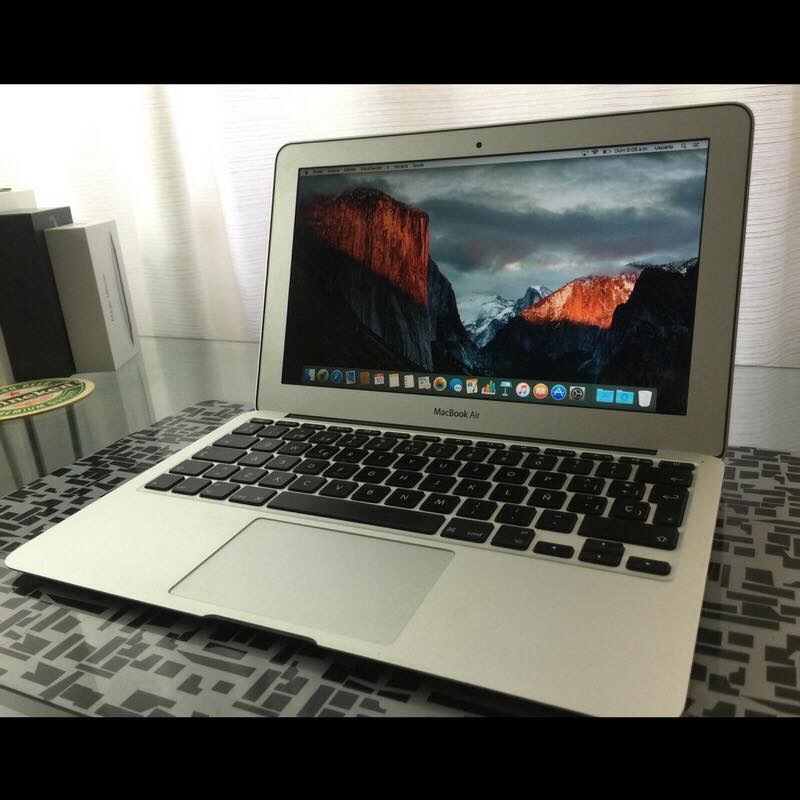
A laptop built for a corporate user was designed to be repaired rather than replaced. That is exactly the quality you want when you are buying second-hand and carrying it everywhere.
What we do before it goes out
Opened, cleaned out and checked over. Worn or failing parts replaced. Drive wiped properly, operating system installed fresh. An SSD fitted where the storage is slow or small, and more memory where it is tight for the job.
Then the whole machine is tested, and it goes out with the warranty on it.
Price, stock and timing
There is no list on this site because the bench changes every week. Ring us, tell us what the machine is for and roughly what you want to spend, and we will tell you what is in.
Firm quote within 24 hours. Nothing starts until you have agreed it. Most jobs done in two to three days.
A desk machine as well
Plenty of people here work on a laptop out and about and want something better at home. A second screen and a keyboard changes how a working day feels, and a small desktop or all-in-one is often cheaper than pushing the laptop budget higher. Refurbished computers and all-in-ones
Trading in the old one
Bring the old machine in and it comes off the price of the new one. It does not have to be working. Tell us before you hand it over if there is anything on it you still need, because every drive is wiped properly before it goes anywhere. Device trade-in
Before you replace it
If your laptop is only a few years old and it has just got slow, replacing it may not be the answer. Storage and memory are usually what has run out, and both can be changed for a fraction of the cost with everything left where it is. We will tell you if that is what we think. SSD and memory upgrades
Getting it to you
The workshop is in Bayswater, a short run east. There is no showroom in Leederville.
Ring us and we will sort out the practical side. Open Monday to Friday, 10am to 4pm.